Unsupported input
The tool may reject input that does not match the expected content, structure, or file type.
Fix: Confirm the tool input requirements and paste the correct type of data.
Search tools and pages.
Get YouTube video thumbnail URLs
sidebar • 160x600
Written by Giorgos Kostas. Last reviewed:
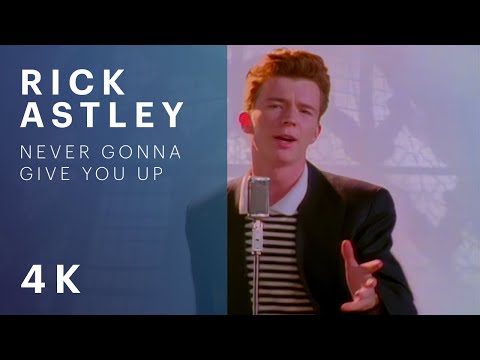
YouTube Thumbnail Grabber pulls every thumbnail size YouTube generates for a given video — default (120×90), mqdefault (320×180), hqdefault (480×360), sddefault (640×480), and maxresdefault (1280×720) — straight from Google's public image CDN.
Because the images are served directly from i.ytimg.com and do not require an API key, the tool works instantly for any public or unlisted video. For private videos, the CDN returns a placeholder image since private videos have no public thumbnail URL.
Start with the youTube Thumbnail Grabber input you want to process in YouTube Thumbnail Grabber.
Get a youTube Thumbnail Grabber result from YouTube Thumbnail Grabber that is ready to review, copy, and reuse in the next step of your workflow.
The tool may reject input that does not match the expected content, structure, or file type.
Fix: Confirm the tool input requirements and paste the correct type of data.
Missing fields or partial content can block processing or produce weak results.
Fix: Provide the full required input before running the tool.
Sample or placeholder values can lead to output that looks valid but is not ready for real use.
Fix: Replace placeholders with your actual values before relying on the result.
YouTube only generates maxresdefault for videos uploaded in HD (720p or higher). If a video was uploaded in SD or is older than 2013 (before YouTube's HD thumbnail era), only the smaller sizes exist. The tool shows 'Not available' for any resolution YouTube hasn't generated.
No — the tool only fetches thumbnail images from Google's public image CDN. Video downloading is a separate concern and, for most videos, is a terms-of-service violation on YouTube. This tool is scoped strictly to thumbnail retrieval, which is fair use for press and commentary.
The thumbnail is copyrighted by the video's creator. Fair-use exceptions (news reporting, commentary, criticism) often apply, but using the thumbnail in an unrelated marketing context typically requires permission. For editorial blog posts that discuss or review the video, attribution plus a backlink is standard practice.
Unlisted videos, yes — they have publicly accessible thumbnails as long as you know the video ID. Private videos return a generic placeholder since private video thumbnails are not exposed on the CDN. Deleted videos return a 'video unavailable' image.
Yes — paste a /shorts/ URL or the 11-character ID and the tool fetches all available sizes. Shorts thumbnails are usually portrait aspect and YouTube may only generate mqdefault and hqdefault (no maxresdefault) for very short videos.
The UI is one video at a time. For bulk retrieval (e.g., an entire channel), the same URL format is fully documented: https://i.ytimg.com/vi/VIDEO_ID/maxresdefault.jpg — so a 10-line bash or Python script with a list of IDs will pull hundreds at once without rate limits, as long as you respect YouTube's fair-use policy.
Continue the workflow with related tools for youTube Thumbnail Grabber, adjacent input and output steps, or other utilities in the same category. You can also browse the full Twitter & Social Tools category for more options.
Design Open Graph and Twitter card images with export-ready presets
Generate Instagram share links
Generate share links for social media
Format and beautify tweets
Generate Twitter Card meta tags
Generate normalized video chapter timestamps for YouTube and podcast show notes from pasted chapter lines and optional URLs.
Generate an <img> tag with src, alt, width, height, loading="lazy", and decoding="async" best practices
Generate lazy-loading HTML image tags with srcset, sizes, decoding, fetch priority, and accessible alt text attributes.
Scan pasted HTML for missing alt text, labels, and aria attributes in common interactive elements
Compose and export Apple App Store screenshot sets
Check URLs for broken links
Searchable ISO 3166 country list with two-letter codes and localised names
Paste a video URL and preview the thumbnail variants instead of guessing what to do.




content bottom • up to 300x250